GTM Workspace
Research, prioritize, and act in one workspace
GTM Workspace connects live account signals, CRM data, and ZoomInfo intelligence so sellers always know what changed, what it means, and what to do next.
Trusted by 35,000+ fast-growing companies worldwide

4.5/5 8,905 G2 reviews

Read More

I was able to directly connect VP Tech using ZoomInfo which helped me grab a wholesome deal covering 43 percent of my QRF.


Read More

Using ZoomInfo, I was able to get in touch with a new CIO, and start a new sales process. I would not have known this without ZoomInfo. The way they have updates on companies and industries really helped me to be educated when speaking with new prospects.


Read more

"ZoomInfo allows me to find out more useful information about a wider range of companies that other tools do not have, such as company revenue and industry. This gives me wider account visibility, and my pipeline has grown 4x"



Read More

Reliable data is the backbone of any high-performing sales organizatio. With ZoomInfo, we’ve automated key processes, reduced inefficiencies, and improved prospecting accuracy, allowing our teams to focus on high-value opportunities.
Core workflows
How GTM Workspace works through an account

Pulse Feed
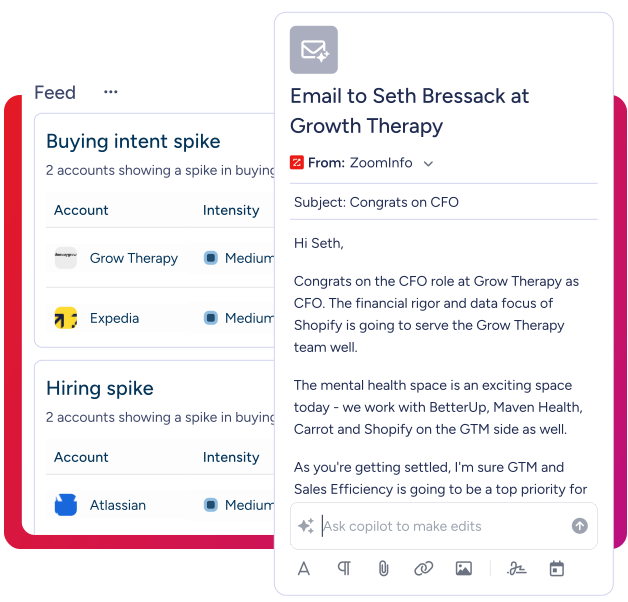
Every signal, routed to the right seller
Pulse Feed surfaces up to 1,000 daily signals across 15+ signal types - buying intent, job changes, funding, hiring activity, competitive research - grouped by account and ready to act on. Sellers see what changed and what to do next, without manual triage.
AI Chat
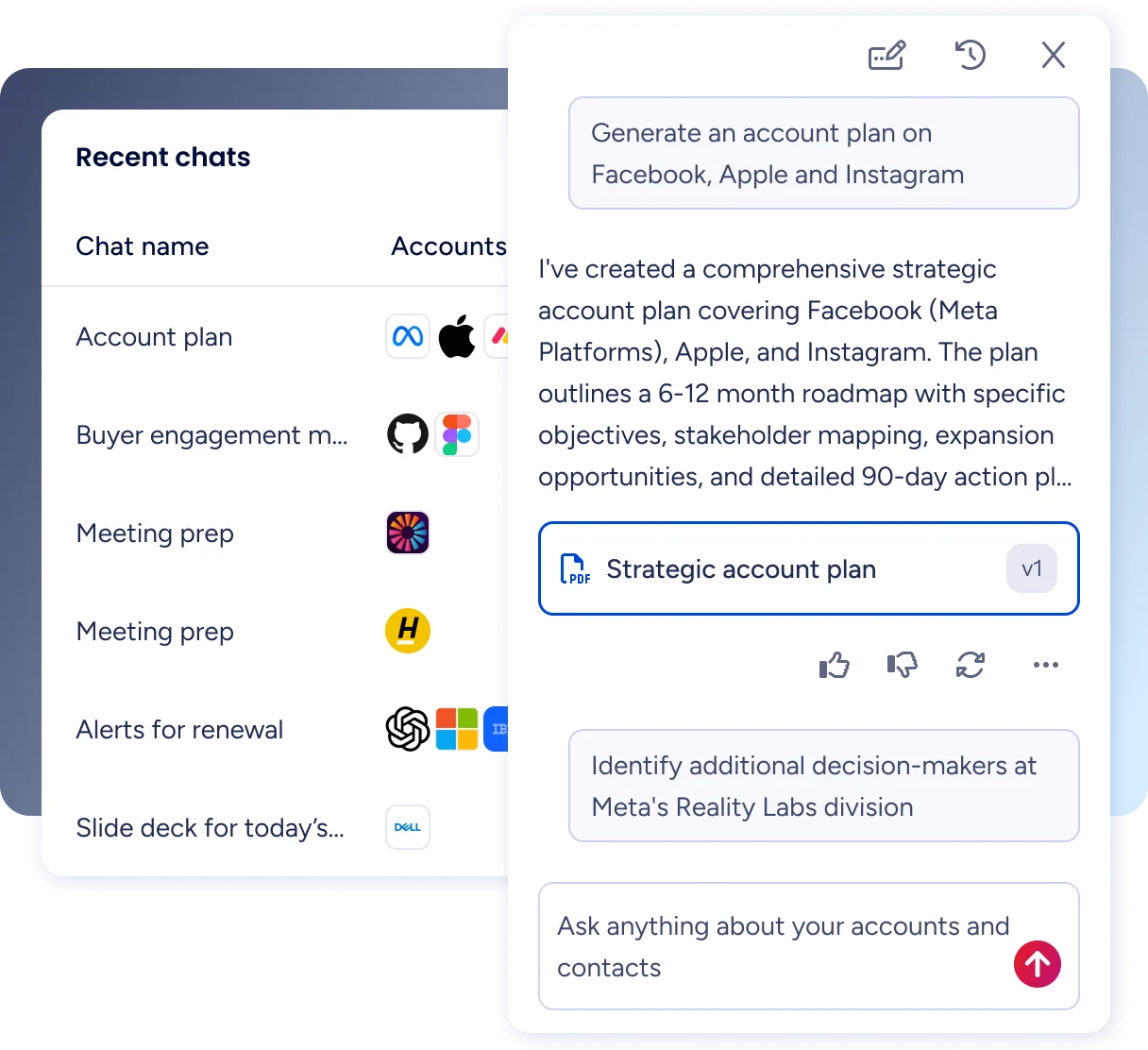
Each signal becomes account context
AI Chat pulls CRM history, call transcripts, and ZoomInfo intelligence into a single account brief. Sellers walk in prepared - no separate research required.
AI Docs
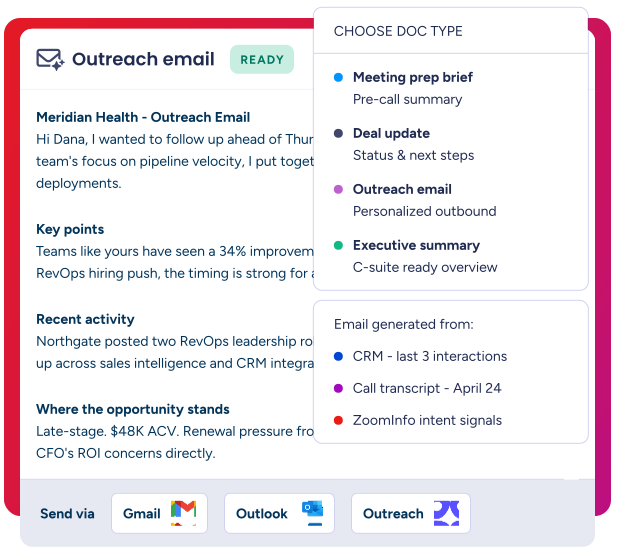
Briefs, emails, and updates. No context-switching.
AI Docs generates meeting prep briefs, deal status reports, and personalized outreach in seconds - pulling from live CRM data, call context, and ZoomInfo intelligence. Send directly through Gmail, Outlook, Outreach, or Salesloft without rebuilding context elsewhere.
Views
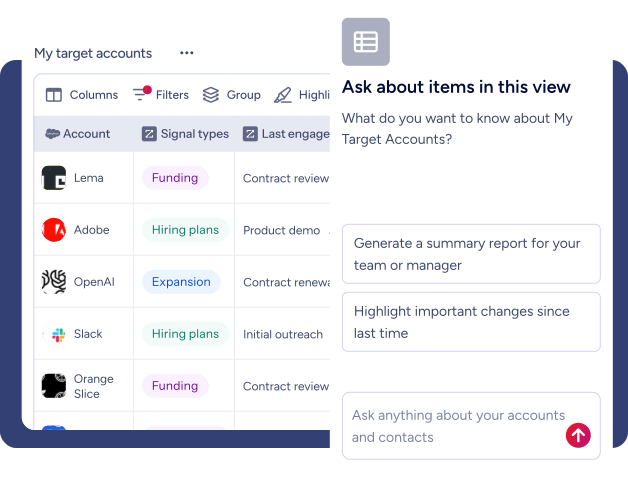
Pipeline stays current without manual work
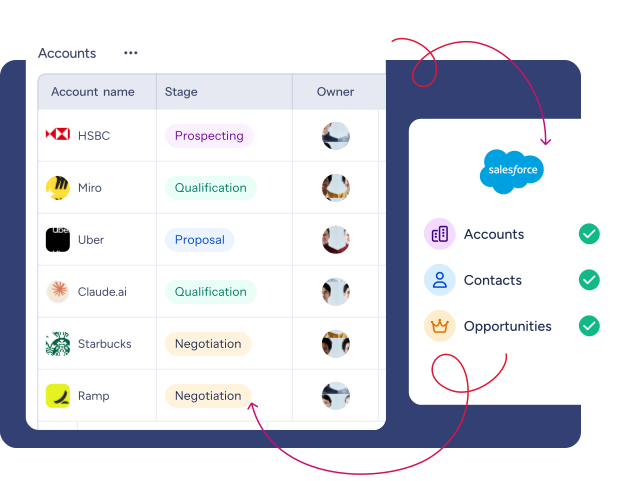
Views give sellers a live table of accounts, contacts, and opportunities with real-time Salesforce sync. After calls, AI captures updates and pushes them to the CRM - no manual entry needed.
Integration that scales with you
From CRM to marketing automation to sales engagement, ZoomInfo fits into your ecosystem - securely, flexibly, and at scale. Speak with a specialist about optimizing your stack.
Trusted by sellers, proven in pipeline


54%
Increase in customer engagement
“Seismic’s sales team boosted productivity by 54%, saved 11.5 hours per week, and attributed 39% of pipeline to ZoomInfo signals.״

43
More qualified pipeline
“Opportunities at higher-scoring accounts were 43% more likely to turn into qualified pipeline, and on average moved 58% faster through qualification.״

10%
Increase in lead qualifications
“With Copilot’s ability to target good-fit prospects and call out high-value deal signals, McGriff has seen an immediate 10% jump in response rates to his cold outreach.”


50%
Faster prospecting
"ZoomInfo has enabled me to reach more prospects 50% faster, transforming how I approach GTM strategies with actionable intelligence and efficiency."

40%
Increase in closed won deals
“With ZoomInfo, our team increased closed-won deals by 40% and achieved 115% average quota attainment each month - helping every SE hit their targets.”
All the context,
one place
GTM Workspace.
Free trialFAQs
What is ZoomInfo GTM Workspace?
GTM Workspace is a unified command center for revenue teams that combines CRM data, AI orchestration, and verified buyer intelligence to accelerate deal execution, expansion, and forecasting. For more info, talk to our sales team.
How is GTM Workspace different from my CRM?
Your CRM is a "System of Record" designed for management and reporting. GTM Workspace is a "System of Action" designed for sellers. It sits on top of your CRM (Salesforce or Dynamics) and combines your records with ZoomInfo’s real-time signals and AI research tools so you can execute your daily tasks in a single interface.
Does GTM Workspace replace my existing sales tools?
No, GTM Workspace doesn't replace your CRM or other core systems - it integrates with them. Think of it as the workspace layer that brings together your CRM data, ZoomInfo intelligence, and AI capabilities in one place where your reps actually do their work. Your CRM remains your system of record, while GTM Workspace becomes your daily workspace for research, planning, and prioritization.
How quickly can my team start using GTM Workspace?
GTM Workspace works immediately after logging in and authenticating with your CRM. There's no setup, training, or configuration required. The platform launches with out-of-the-box Views relevant to any business, including "My Accounts," "My Opportunities," and basic prospecting Views - all automatically populated with your CRM data. Your team gets day-one value without waiting weeks for implementation.
How do Sales Leaders use GTM Workspace?
GTM Workspace integrates with Salesforce, HubSpot, and Microsoft Dynamics. The integration is bidirectional and maintains real-time sync - changes you make in Workspace update in your CRM immediately, and CRM updates appear in Workspace when you refresh. All CRM permissions (field-level and object-level) carry over automatically, so users only see what they're authorized to access.
How is GTM Workspace's AI different from ChatGPT or other AI tools?
GTM Workspace AI has complete context that generic AI tools don't have. It combines your CRM data (accounts, opportunities, contacts, activities), ZoomInfo intelligence (buying signals, intent data, personnel changes, company information), and engagement history (call transcripts, emails) into one unified view. When you ask it to research an account, it's not searching the internet - it's analyzing your specific CRM history, recent ZoomInfo signals, and relevant market intelligence. Plus, all responses include source citations so you can verify where information came from.
Can I add ZoomInfo data to my CRM records?
Yes. You can enrich your CRM records with ZoomInfo data directly within Views. Add columns for company information (employee count, revenue, industry), contact details (verified emails and phone numbers), buying signals (intent spikes, technology changes, personnel moves), and technographic data. All enrichments happen within the View interface and sync back to your CRM based on your configuration.
Is my data secure in GTM Workspace? What about compliance?
GTM Workspace maintains enterprise-grade security with SOC 2 Type II compliance, GDPR and CCPA compliance for data privacy, and end-to-end encryption for data in transit and at rest. The platform includes complete audit logging of data access and modifications. AI data handling includes tenant isolation (no cross-customer data sharing), and model training uses aggregated patterns, not individual customer data. All AI recommendations are traceable with source citations for compliance auditing.