Preferred Bank Employee Directory

Preferred Bank corporate office is located in 4648 Beechnut St, Houston, Texas, 77096, United States and has 11-50 employees.

Key Employees of Preferred Bank

Preferred Bank Global Presence
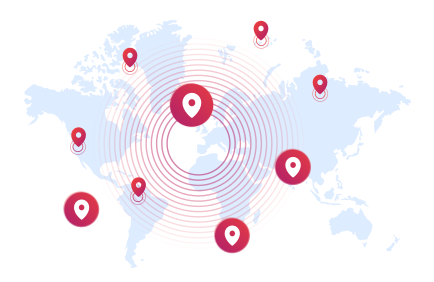
globalPresence illustration
North America1-10

Index of contact profiles from Preferred Bank

Hundreds of professionals searching for Preferred Bank have connected with key decision-makers. Join them?
Contact Name
Contact Info
Job Title
HQ Location
12

Former Employees at Preferred Bank

Explore people who held key positions, contributed to Preferred Bank's success, and advanced their careers.

People from Similar Companies in the Finance Industry Located in Texas, United States

Frequently Asked Questions Regarding Preferred Bank Employees

How many employees does Preferred Bank have?
Preferred Bank has 11-50 employees
Who are Preferred Bank key employees?
Some of Preferred Bank key employees are Eugene Boyd, Kaitlin Mize
Where is Preferred Bank located?
Preferred Bank’s headquarters are located at 4648 Beechnut St, Houston, Texas, 77096, United States
How do I contact Preferred Bank?
Preferred Bank Contact Info: Website: www.preferredbanktx.com
What does Preferred Bank do?

Welcome to Texas First Bank! As of October 7th, 2019, Preferred Bank is now Texas First Bank. We're excited to welcome you to our family and look forward to providing you with the same first-class service that our existing customers have come to expect and love! The below Transition Guides outline many of the changes that have happened, from how to... access your accounts to new debit card information and banking centers you can access. Click the thumbnail to download the Transition Guide for your account. If you are looking to access the Online Banking portal, you will need to set up a new Online Banking profile first. Open the Texas First Bank Online Banking (OLB) portal either by clicking the red Online Banking Login button at the top of this page on desktop or clicking the red lock labeled Login at the top of this page on your cellphone. On the login screen, select First Time User Personal and complete the Online Banking Enrollment form. Note: you must use the email address associated with your bank account. Once you successfully complete and submit the form, it will take you to a screen confirming your new Login ID. Click Continue. You will then be asked to enter a Secure Access Code. You can choose to receive this code either by email, phone call, or text message. Choose your preference. Once you receive your Secure Access Code, follow the instructions and continue the process to create your password, complete your customer profile, and read the terms & conditions. After that, you can choose to register the device. If you select register, you will not have to verify with a Secure Access Code the next time you log in from that device and browser. You can now access your account! Log into the OLB portal the next time using the same LOGIN button at the top of the website. Open the Texas First Bank Online Banking (OLB) portal by either clicking the red Online Banking Login button at the top of this page on desktop or clicking the red lock labeled Login at the top of this page on your cellphone. On the login ...Read More

Is Preferred Bank a public company?
Preferred Bank is private company therefore does not currently have an official ticker symbol
See more information about Preferred Bank Employees

Get Started with ZoomInfo

Register for free

Sign Up for Free

Get started for free! No credit card needed. Enjoy up to 25 free contacts each month at no cost.
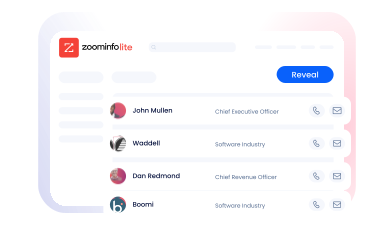
Elevate your prospecting to the next level

Supercharge Your Prospecting

Search ZoomInfo's database of 106M+ companies and 140M+ professionals to find your next lead.
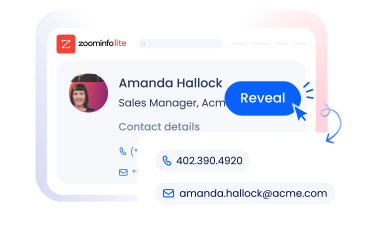
Expand your business

Grow Your Business

Reveal both personal and business contact details, including emails and phone numbers, and close your most valuable buyers.